Redesigning an e-commerce website and increasing mobile adoption by 32% and revenue by 28%
Led the end-to-end design and optimised search experience and mobile responsiveness to achieve 28% revenue increase and 32% mobile adoption and 30% reduction in bounce rate.
Web Design
Market Research
UX Design
Live Project
+28%
Revenue through website
+32%
Mobile adoption
-30%
Bounce rate
Background
A buyer in the Netherlands lands on Promofit looking for branded welcome gifts. They search. The results are non-existent or irrelevant. They leave. This was happening in 63% of sessions and it was quietly killing conversion before a single product was ever seen.
My role
Sole designer on a cross-functional team delivering search and mobile improvements for a live e-commerce platform.
Business goal
Website redesign and Mobile responsiveness optimisation
One of the key focuses of this project is optimising mobile responsiveness. The traffic in mobile was very low and the clients wanted an easily adaptable mobile version of the website.
Improving search experience
The irrelevant and overwhelming search experience was affecting the conversion and sales. Users relied on search but it was unreliable resulting in users abandoning the shopping.
Adding a new product customisation feature
We were required to build a new feature that allowed users to add their custom logos to products and select other common attributes such as colour, size, and quantity.
Discovering problems affecting the shopping experience
The clients provided us primary research data which they collected through analytics, ticket records from queries and surveys.
42%
users landed on the homepage and exited without interacting with products.
63%
sessions used search but only 14% clicked results.
What I found
This told me the problem wasn't discoverability; users were searching. The product was failing them after they searched. That reframed the entire design focus toward result quality, not search volume.
This narrowed down our design focus to the home page and search experience, the two points where the users are failing visibly.
Usability evaluation of the Home page
I conducted a heuristic evaluation of the existing site, focusing on the home page
Lack of visual hierarchy
No visual hierarchy on the homepage equal weight given to every element, making it impossible to know where to look first
Mobile header dominated the screen
Mobile header occupied 40% of screen height, pushing other content below the fold
Irrelevant information
The home page consisted of information about business which the users found irrelevant. The overwhelming category tiles and absence of direct product cards was not enticing for the users to explore the webste.
Accidental opening of categories menu
When being scrolled, the categories menu in the sticky header kept opening when hovered accidentally. This was causig distraction and affecting the browsing experience.
Usability evaluation of the search feature
I conducted task based usability testing and asked users to perform specific tasks to identify friction in search
No prediction
The search never predicted what users are trying to type expecting users to do all the work
Inadequate search results
Search returned results with no product context (no image, price, or stock), forcing users to navigate only through categories
No search suggestion
There are no search or keyword suggestions to help users navigate other available products and categories in the catalogue.
Incomplete indexing
A core issue behind the gap was that many queries returned zero results entirely because search indexing was incomplete.
Market analysis
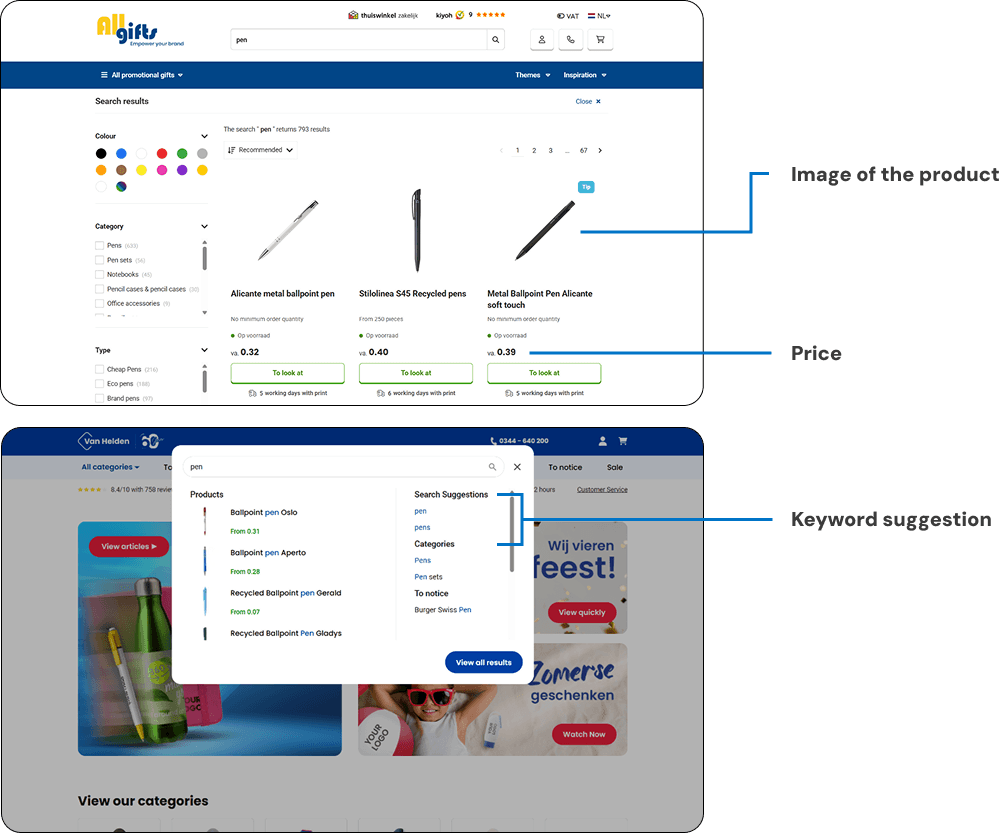
I analysed 6 competitor e-commerce sites in the Netherlands to understand how they handled search, and information provided in the home. The goal was to understand the baseline Dutch users already expected, then find where we could do better.
Search Experience
Pattern
Issue
Type A: Direct redirect to product listing
Users lose context
Type B: No search suggestions
High typing friction
Type C: Rich suggestions with previews
Helps users decide faster
KEY INSIGHT
The gap was rich, in-context suggestions that let users evaluate before committing to a click.
UI Design
To feel familiar to Dutch users, I referenced the dominant visual conventions in the Netherlands market including large typography, high-contrast colours, and consistent navigation structures. The goal was a cleaner version of what users already trusted, not a reinvention.
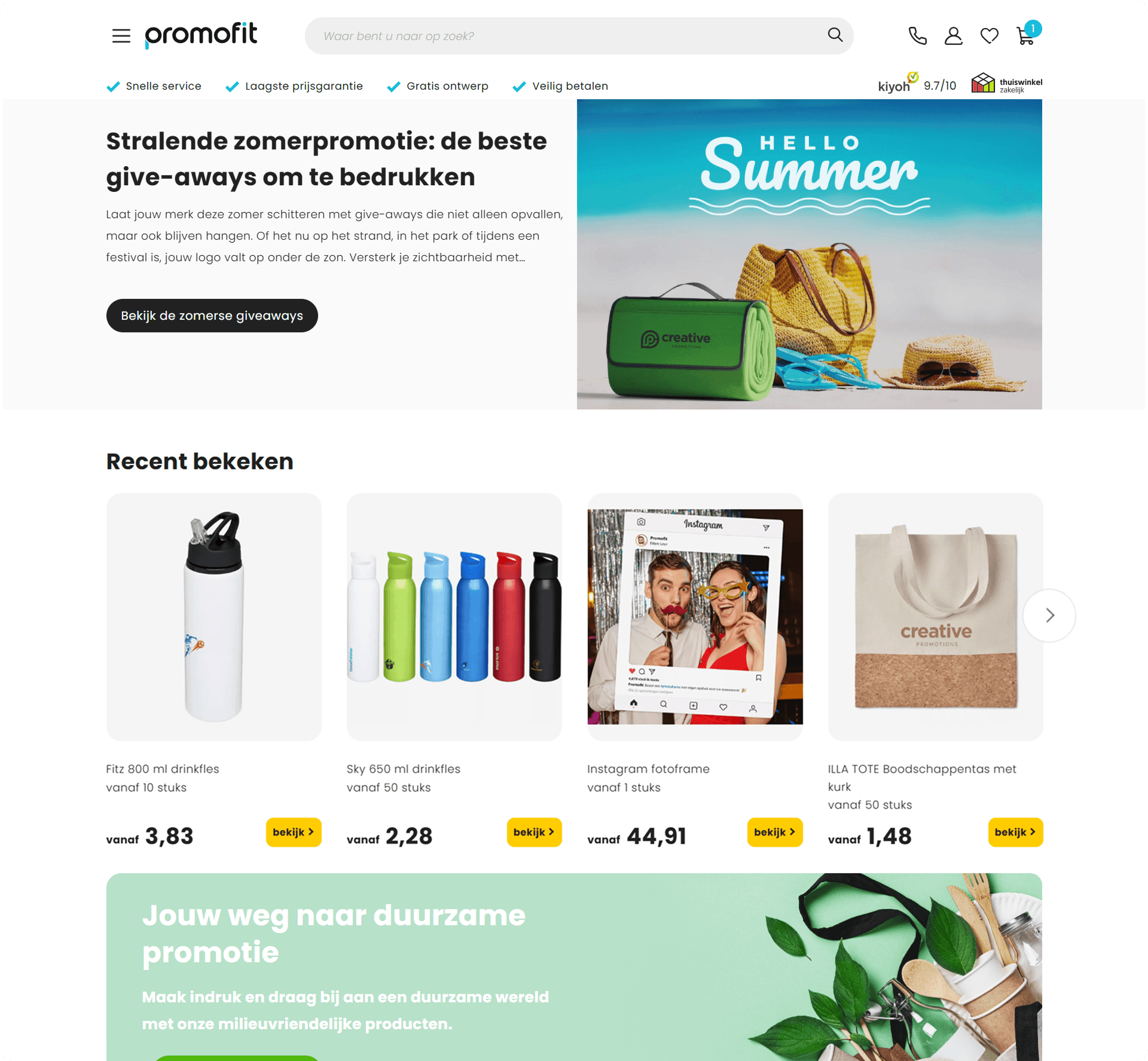
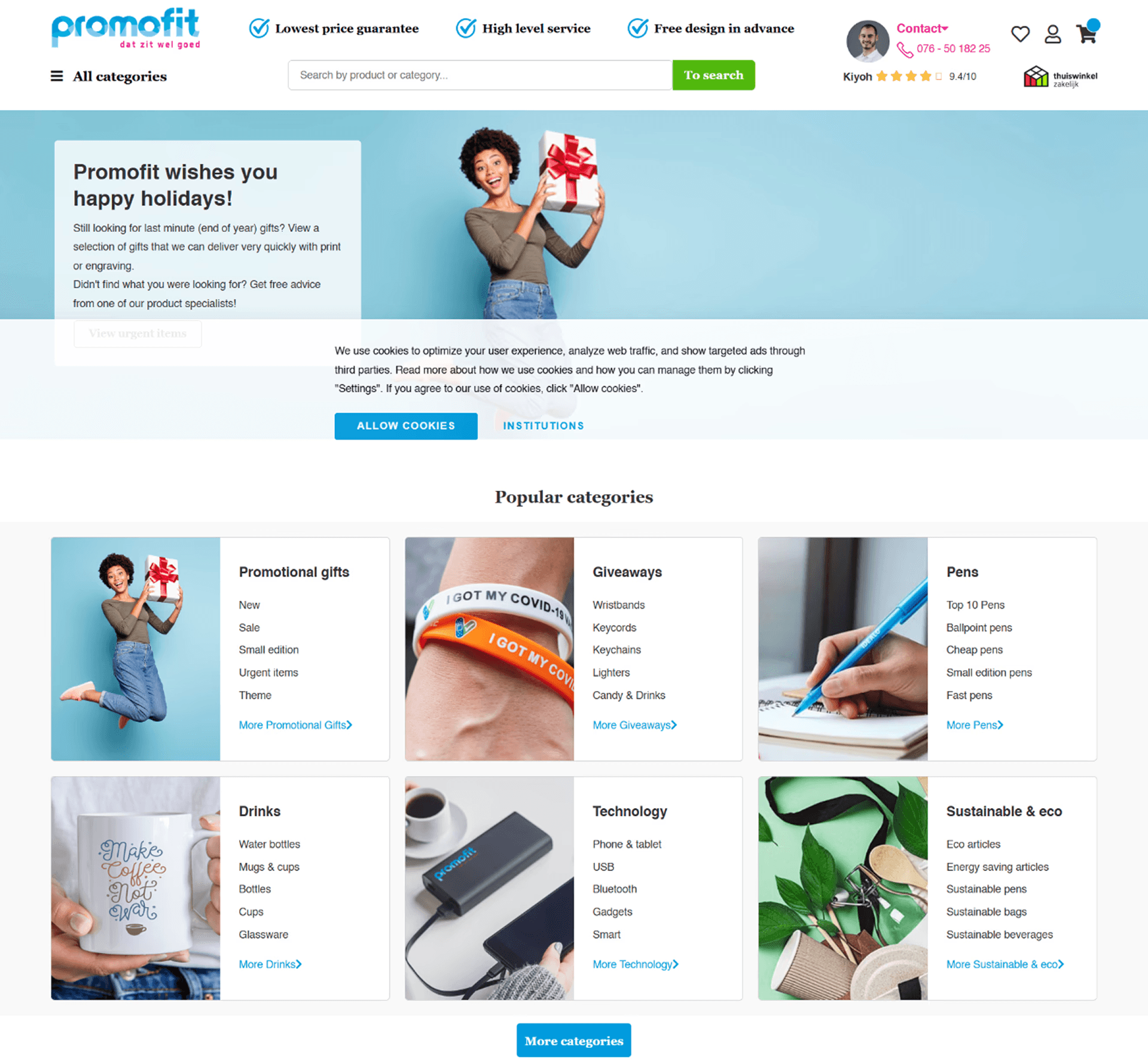
Home page
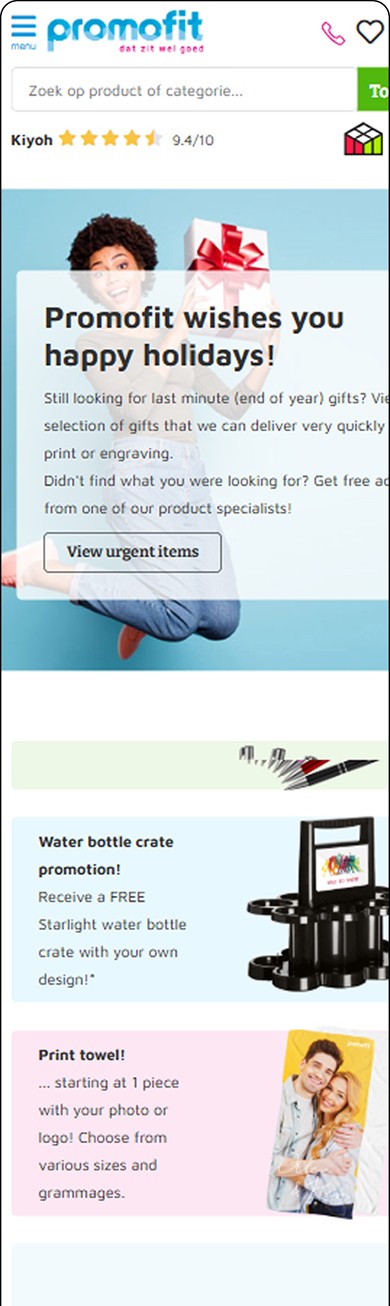
42% of users were leaving the homepage without interacting with a product. The existing design only showed category tiles; users had to navigate into a category before seeing anything to buy. Adding product cards directly on the homepage reduced that barrier, putting purchasable items in front of users within the first scroll.
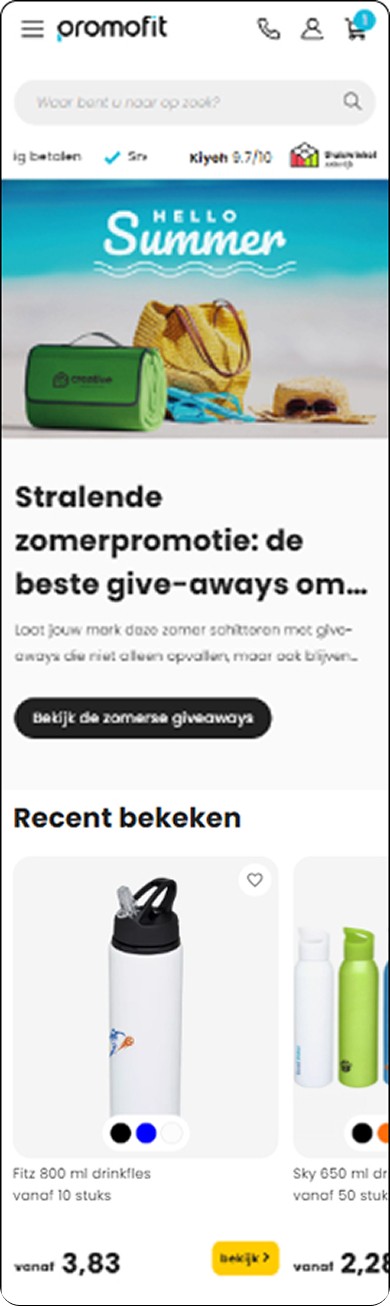
Mobile responsiveness
Mobile traffic was low despite being a significant opportunity. The redesign adapted the new homepage layout for mobile, ensuring product cards and navigation were accessible from the first load.
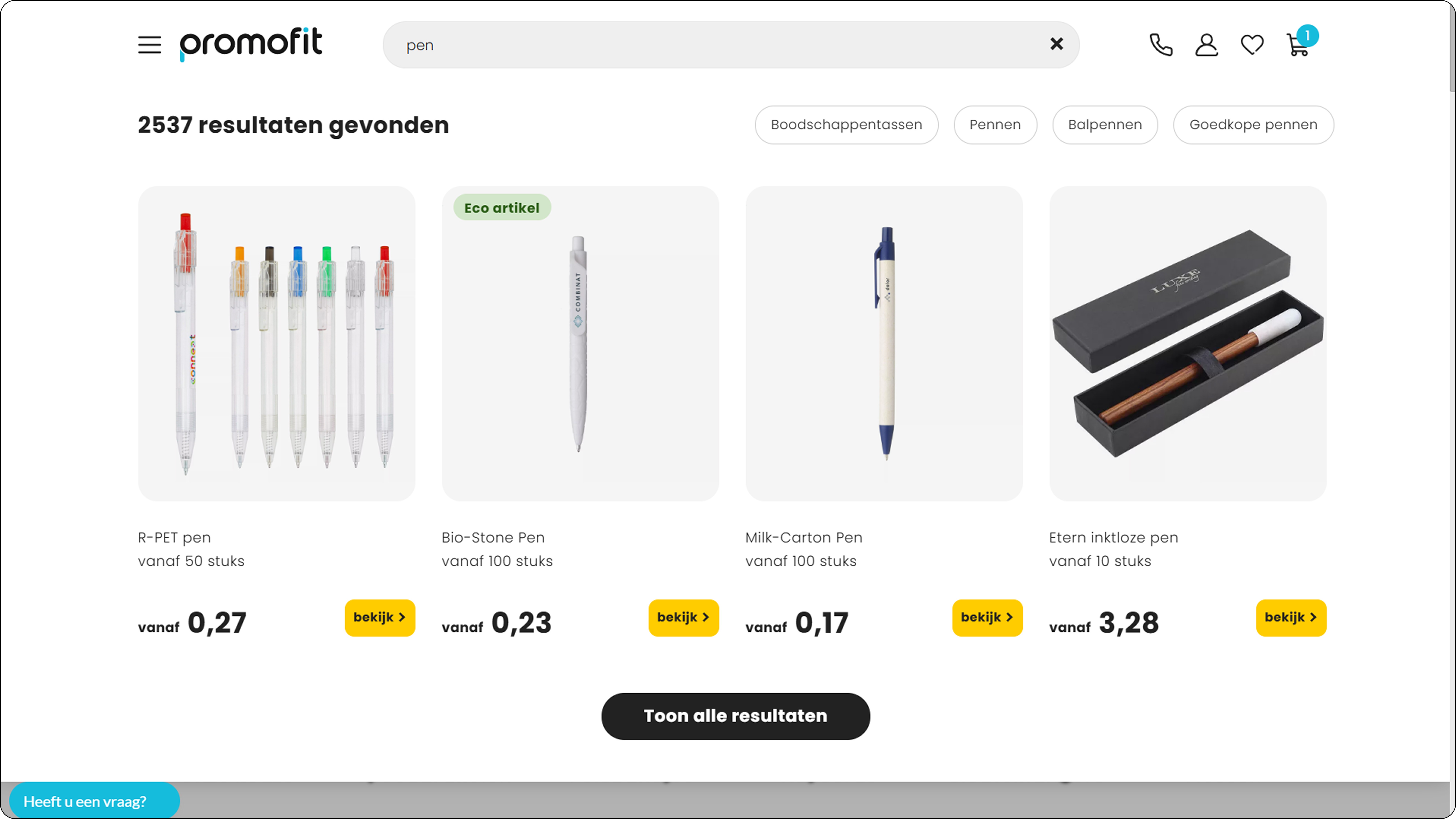
Search result and suggestion
The search suggestion panel was designed to surface product name, image, price, and stock inline, giving users enough context to evaluate a result without navigating away. This directly targeted the gap between the 63% who searched and the 14% who clicked.
We worked with backend team to improve the product indexing so the catalogue was fully searchable.
Categories menu
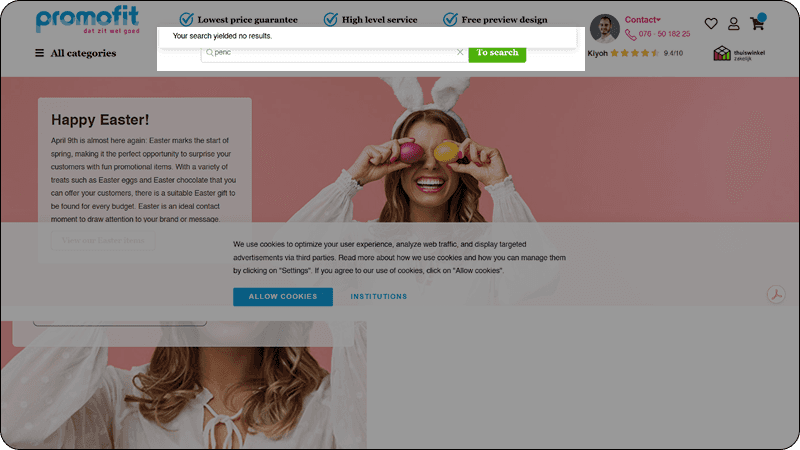
During usability evaluation, the sticky header's hover-triggered category menu was opening accidentally as users scrolled, creating repeated interruptions to browsing. Switching to a click-to-open trigger made the interaction intentional. Users control when the menu appears, eliminating accidental triggers entirely.
Customisation feature is pushed to v2
Product customisation was deprioritised to v2 due to backend dependencies . Version 1 focused on UI, search, and mobile so that we can ship first and work on the customisation feature on the background.
Testing and iteration
I tested the searrch and home page with specific tasks to complete rather than asking for opinions. This caught interaction issues early before they reached the client. Key findings from these sessions informed minor UI adjustments like button placement, label clarity, and mobile spacing before the final client demo.
Testing search suggestions
Initial design capped suggestions at 4 results, as I assumed that it would result in users making faster decisions. Testing showed users were trying to see more options to make sure that they select the best option. They didn't trust a small set to represent the full catalogue.
KEY INSIGHT
Users preferred confident decision making through seeing multiple options than quick decisions with limited options.
DESIGN DECISION
Removed the cap and made the suggestion panel scrollable, showing the full result set with image, price, and stock visible per item. This kept users inside the search interaction rather than forcing them into a separate browse flow.
The new design lets users scroll through, helps them compare and explore their options to give them confidence to select what they want to enquire about.
Impact
Following the full website relaunch, the client reported these outcomes compared to the previous period. These metrics reflect the new website as a whole and are not tied to individual feature changes we made.
+28%
Revenue through website
+32%
Mobile adoption
-30%
Bounce rate
Key Learnings
Isolated metrics
I missed an opportunity to include a measurement plan in the handoff. Define which metrics to track post-launch before you ship, not after. This would help us understand how every feature performs and impact our changes made.
Things I wanted to do but could not
I would have used card sorting to understand how users mentally categorise products — because fixing search helps users who know what they want, but a broken IA fails users who are still browsing. That's a problem we didn't fully solve.
Trade-offs I was conscious of
Information density in search suggestions
Added product image, price, stock, and name to suggestions for more informed choices, accepting increased visual weight to boost user confidence, especially on mobile.
Products above the fold vs brand breathing room
Moved products directly below the hero section to boost engagement, prioritising conversion over brand storytelling to address high drop-off rates.